My top 3 picks, before the long list
If you only read one section, read this: one pick for most people, one for a careful budget, one to grow into.
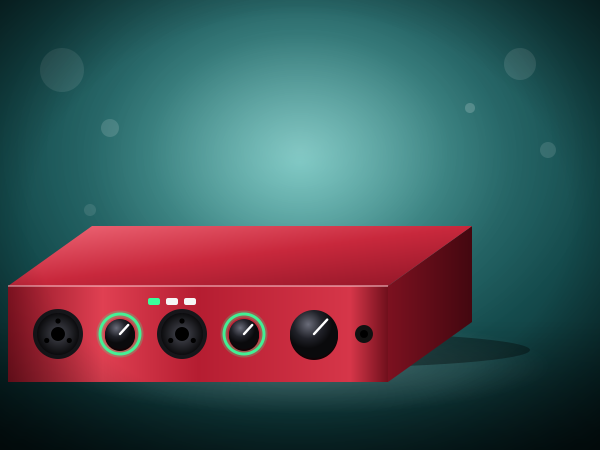
Best overall
ArturiaAudio interface
MiniFuse 2 USB Audio and MIDI Interface
A USB audio and MIDI interface that comes with recording software and a long warranty. I recommend it for a student ready to grow a home recording setup beyond one simple microphone.
I suggest it for recording a digital piano or a microphone and keeping a MIDI keyboard on the same box.
See it on AmazonBest value
MackieAudio interface
Onyx Artist 1x2 USB Audio Interface
A compact USB interface with one microphone input and a stereo output. The Mackie Onyx Artist 1x2 USB Audio Interface is one of my careful first-budget picks for this list.
I suggest it for one microphone, one keyboard cable and a small desk.
See it on AmazonPremium pick
FocusriteAudio interface
Scarlett 4i4 USB-C Audio Interface
4 inputs and 4 outputs, two microphone preamps and MIDI in and out. The Focusrite Scarlett 4i4 USB-C Audio Interface is one of my premium picks for this list.
I suggest it for a pianist who wants stereo microphones and a MIDI keyboard on one interface.
See it on AmazonAn audio interface is the small box between your piano or microphones and your computer. It turns the sound into digital audio, powers condenser microphones, and gives you a headphone output with no delay. You do not need one to begin: a phone is enough for a first recording, and my feedback on your playing is free either way. Buy an interface when you want a recording that sounds like the piano in the room. I describe each interface by what its listing states, and I choose by how simple it is to set up and live with.
Why trust a concert pianist's picks?
I recommend this gear because it is what my adult students need to work through my free 41-lesson course and, later, to use with my upcoming method books. I am a concert pianist and a university piano professor, and these are the kinds of tools I look at first when a student asks what to buy.
BehringerAudio interface
UMC22 USB Audio Interface
A 2-in 2-out USB interface with a Midas-designed microphone preamp. The Behringer UMC22 USB Audio Interface is one of my careful first-budget picks for this list.
I suggest it for a first interface for recording a digital piano or one microphone.
See it on AmazonM-AudioAudio interface
M-Track Solo USB Audio Interface
A one-input USB interface that plugs into a computer. The M-Audio M-Track Solo USB Audio Interface is one of my careful first-budget picks for this list.
I suggest it for the smallest step up from a phone recording.
See it on AmazonPreSonusAudio interface
AudioBox 96 USB Audio Interface
A two-input USB interface with a headphone output. The PreSonus AudioBox 96 USB Audio Interface is one of my careful first-budget picks for this list.
I suggest it for a beginner who wants to record piano and a voice or guitar.
See it on AmazonMackieAudio interface
Onyx Artist 1x2 USB Audio Interface
A compact USB interface with one microphone input and a stereo output. The Mackie Onyx Artist 1x2 USB Audio Interface is one of my careful first-budget picks for this list.
I suggest it for one microphone, one keyboard cable and a small desk.
See it on AmazonM-AudioAudio interface
M-Track Duo USB Audio Interface
A USB interface with dual XLR, line and DI inputs. The M-Audio M-Track Duo USB Audio Interface is one of my careful first-budget picks for this list.
I suggest it for a compact first interface for two sources.
See it on AmazonAudientAudio interface
EVO 4 USB Audio Interface
A compact 2-in 2-out USB interface with a simple, clear layout. The Audient EVO 4 USB Audio Interface is one of my mid-range picks for this list.
I suggest it for a learner who wants clean recordings and few knobs to learn.
See it on AmazonArturiaAudio interface
MiniFuse 2 USB Audio and MIDI Interface
A USB audio and MIDI interface that comes with recording software and a long warranty. I recommend it for a student ready to grow a home recording setup beyond one simple microphone.
I suggest it for recording a digital piano or a microphone and keeping a MIDI keyboard on the same box.
See it on AmazonUniversal AudioAudio interface
Volt 2 USB Audio Interface
A 2-in 2-out USB interface with a vintage microphone-preamp mode. The Universal Audio Volt 2 USB Audio Interface is one of my mid-range picks for this list.
I suggest it for a pianist who records acoustic piano with one or two microphones.
See it on AmazonMOTUAudio interface
M2 USB-C Audio Interface
A 2-in 2-out USB-C interface built for clean, quiet recordings. The MOTU M2 USB-C Audio Interface is one of my mid-range picks for this list.
I suggest it for a player who wants a quiet, honest recording of the piano.
See it on AmazonSolid State LogicAudio interface
SSL 2 MKII USB Audio Interface
A 2-in 2-out USB interface from a console maker. The Solid State Logic SSL 2 MKII USB Audio Interface is one of my mid-range picks for this list.
I suggest it for a returning player building a small recording corner.
See it on AmazonUniversal AudioAudio interface
Volt 1 USB Audio Interface
A one-input USB audio interface. The Universal Audio Volt 1 USB Audio Interface is one of my mid-range picks for this list.
I suggest it for a first interface for one microphone.
See it on AmazonFocusriteAudio interface
Scarlett Solo 4th Gen USB-C Interface
USB-C interface. The Focusrite Scarlett Solo 4th Gen USB-C Interface is one of my mid-range picks for this list.
I suggest it for a student ready to grow a home recording setup with other microphones.
See it on AmazonFocusriteAudio interface
Scarlett Solo 3rd Gen USB-C Interface
Focusrite Scarlett Solo 3rd Gen USB-C Interface: uSB-C interface. The Focusrite Scarlett Solo 3rd Gen USB-C Interface is one of my mid-range picks for this list.
I suggest it for a student ready to grow a home recording setup with other microphones; this one is the Focusrite Scarlett Solo 3rd Gen USB-C Interface.
See it on AmazonYamahaAudio interface
2-in/2-out USB-C Audio/MIDI Interface
A 2-in, 2-out USB-C interface with 32-bit/192 kHz support and combo inputs. The Yamaha 2-in/2-out USB-C Audio/MIDI Interface is one of my mid-range picks for this list.
I suggest it for a Yamaha piano owner who records audio and MIDI.
See it on AmazonUniversal AudioAudio interface
Volt 276 USB Audio Interface
A USB audio interface with a built-in 76 compressor and a vintage microphone preamp. The Universal Audio Volt 276 USB Audio Interface is one of my mid-range picks for this list.
I suggest it for recording a piano with a warmer front end.
See it on AmazonFocusriteAudio interface
Scarlett 2i2 4th Gen USB-C Interface
Two-input USB-C interface. The Focusrite Scarlett 2i2 4th Gen USB-C Interface is one of my premium picks for this list.
I suggest it for a student ready to grow a home recording setup with other microphones; this one is the Focusrite Scarlett 2i2 4th Gen USB-C Interface.
See it on AmazonFocusriteAudio interface
Scarlett 4i4 USB-C Audio Interface
4 inputs and 4 outputs, two microphone preamps and MIDI in and out. The Focusrite Scarlett 4i4 USB-C Audio Interface is one of my premium picks for this list.
I suggest it for a pianist who wants stereo microphones and a MIDI keyboard on one interface.
See it on Amazon
How do I connect a digital piano to an audio interface?
Look at the back of the piano. If it has two output jacks marked left and right, connect each to an input on the interface with a 1/4-inch cable, and set the interface's input to line level. If it has only a headphone jack, a 3.5 mm to 1/4-inch cable works for a clip, though the headphone output is not made for recording. If it has a USB port, you may not need an interface at all.
Record a short test first
Play eight bars, listen back through headphones and check that you hear no hiss and no clipping. Then move on to a whole piece.
Do I need an audio interface to record my digital piano?
Not always. Many digital pianos have a USB port that sends audio or MIDI to a computer directly. An interface helps when you want to use microphones, record the line outputs of a piano with cables, or listen without delay.
How many inputs do I need to record piano?
Two inputs are enough for most pianists: one for each microphone of a stereo pair, or one for each output of a stereo digital piano. A single input works for one microphone or a mono signal.
What is phantom power?
A 48-volt supply that the interface sends down the microphone cable to power a condenser microphone. Dynamic microphones do not need it.
Which interface is the best for a beginner?
The one you will really set up and use. For a first interface I choose a two-input model from a maker with a long record of software support, and I do not pay for channels I will not use.
Shopping outside the US? Do these links work in the UK, Canada, Australia or Europe?
Yes. The links go to Amazon.com and open your local Amazon store when the model is sold there: the UK, Canada, Australia, Germany, France, Italy, Spain, the Netherlands, Poland, Sweden and Singapore. Models, voltages and plugs differ by country, so on your local listing check for the 230-volt or UK-plug version of a digital piano or a suitable mains adapter, and check that the sustain pedal, bench (keyboard stool) or keyboard stand you want is sold in your country. If a model is not sold locally, the page will say so.