Write to Dr. Maria Pisarenko, or send your playing

Leave your email, phone and how you found us. I read every message and listen to every recording myself.

Home / Shop / Tablet Stands and Page Turners

Chosen by a concert pianist

iPad Music Stands, Tablet Holders and Page-Turner Pedals

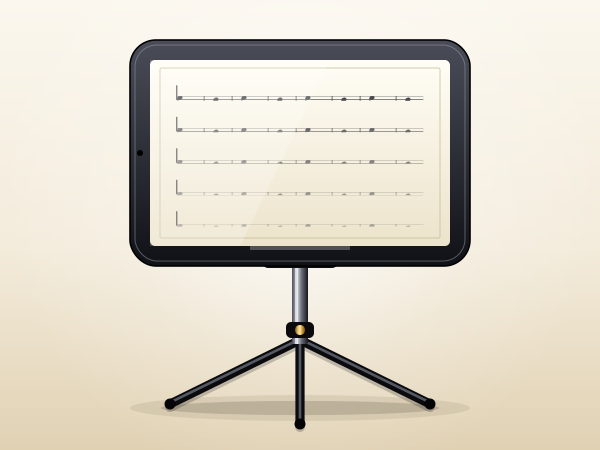
To read sheet music from a tablet you need a firm holder at eye level and, if you want to keep both hands on the keys, a Bluetooth page-turner pedal that works with your music app. Check that the pedal is compatible with the app you use.

Affiliate disclosure. As an Amazon Associate I earn from qualifying purchases. Some links on this page are affiliate links; buying through them costs you nothing extra.

Shopping from the UK, Canada, Australia or Europe? Amazon links open your local Amazon store when available.

Illustrations show the type of product; see the exact item and its photos on Amazon.
My top 3 picks, before the long list

If you only read one section, read this: one pick for most people, one for a careful budget, one to grow into.

Illustration of a page-turner pedal — AirTurn DUO500 Silent Bluetooth Pedal

Best overall

AirTurnPage-turner pedal

DUO500 Silent Bluetooth Pedal

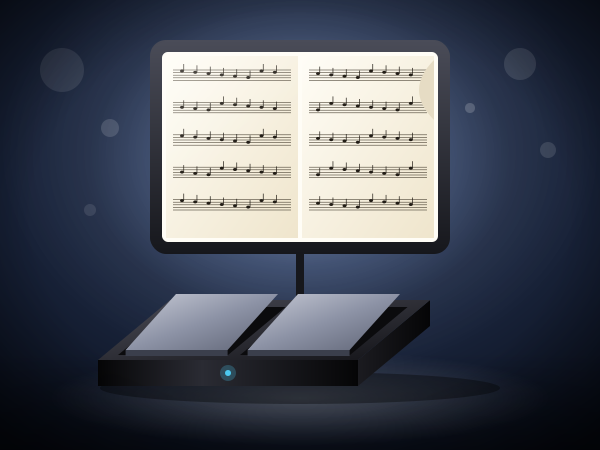
Silent Bluetooth page-turner pedal. Turning a page with your foot keeps both hands on the keys when you read from a tablet.

I suggest it for reading scores from a tablet with both hands on the keys.

See it on Amazon
Illustration of a tablet holder — Hercules Hercules DG307B Tablet and Phone Holder

Best value

HerculesTablet holder

Hercules DG307B Tablet and Phone Holder

An adaptive holder for a tablet or a phone. A tablet is only as useful as its position: I want it high enough to read without bending your neck.

I suggest it for reading music from a tablet on a stand.

See it on Amazon
Illustration of a page-turner pedal — PageFlip PageFlip Dragonfly Page Turner

Premium pick

PageFlipPage-turner pedal

PageFlip Dragonfly Page Turner

A four-pedal Bluetooth page turner for sheet-music apps. The PageFlip PageFlip Dragonfly Page Turner is one of my premium picks for this list.

I suggest it for a player who also wants extra commands for an app.

See it on Amazon
Read first
  • How to Start Sight-Reading: A Method You Can Begin This Week
My guide on this, written for adults learning alone.

Many adults now read their music from an iPad or a tablet. It is light, it holds a whole library, and it can be bright enough for a dim room. Two things make it work at the piano: a holder that keeps the tablet at the right height and angle, and a pedal that turns the page without lifting a hand. I describe each by its listing and ask you to check the size of your tablet and the app you use before you order.

Why trust a concert pianist's picks?

I recommend this gear because it is what my adult students need to work through my free 41-lesson course and, later, to use with my upcoming method books. I am a concert pianist and a university piano professor, and these are the kinds of tools I look at first when a student asks what to buy.

What should I look for in a tablet stand?

  • Holder type. A clamp for a microphone stand, a floor stand with a ball head, or a mount for a music stand; match it to the furniture you already have.
  • Tablet size. Check the range of sizes the holder fits, and whether your tablet's case still fits.
  • Stability. A tablet that wobbles while you play distracts; choose a firm base and a locking joint.
  • Pedal compatibility. A page turner must work with your music app; check the listing and the app's own help page.
  • Silent or clicking pedals. A silent pedal suits a recital or a quiet room.

How does a tablet setup help you learn?

How this helps you learn: music at eye level keeps your head and shoulders relaxed, and turning pages with your foot keeps both hands on the keys.

Which tablet stand or page turner should I buy?

Budget picks

6 picks
Illustration of a tablet holder — Hercules Hercules DG307B Tablet and Phone Holder
HerculesTablet holder

Hercules DG307B Tablet and Phone Holder

An adaptive holder for a tablet or a phone. A tablet is only as useful as its position: I want it high enough to read without bending your neck.

I suggest it for reading music from a tablet on a stand.

See it on Amazon
Illustration of a tablet holder — elitehood elitehood Aluminum iPad Holder for Mic Stand
elitehoodTablet holder

elitehood Aluminum iPad Holder for Mic Stand

A metal side mount that holds an iPad on a microphone stand. Music at eye level lets your head and shoulders stay relaxed, and a tablet needs a firm stand to hold it there.

I suggest it for an iPad as music on a mic stand next to the piano.

See it on Amazon
Illustration of a tablet floor stand — XXZU XXZU 72-Inch Tablet Floor Stand
XXZUTablet floor stand

XXZU 72-Inch Tablet Floor Stand

An aluminum 72-inch floor stand with a ball head for tablets and phones. The XXZU XXZU 72-Inch Tablet Floor Stand is one of my careful first-budget picks for this list.

I suggest it for an iPad on a floor stand near a keyboard.

See it on Amazon
Illustration of a tablet holder — IK Multimedia iKlip Xpand Tablet Holder
IK MultimediaTablet holder

iKlip Xpand Tablet Holder

A tablet holder that clamps to a microphone stand. The IK Multimedia iKlip Xpand Tablet Holder is one of my careful first-budget picks for this list.

I suggest it for an iPad or Android tablet at eye level on a mic stand.

See it on Amazon
Illustration of a page-turner pedal — JOYO Wireless Page Turner Pedal
JOYOPage-turner pedal

Wireless Page Turner Pedal

Wireless page-turner pedal. The JOYO Wireless Page Turner Pedal is one of my careful first-budget picks for this list.

I suggest it for reading scores from a tablet with both hands on the keys; this one is the JOYO Wireless Page Turner Pedal.

See it on Amazon
Illustration of a page-turner pedal — Donner Wireless Bluetooth Page Turner Pedal
DonnerPage-turner pedal

Wireless Bluetooth Page Turner Pedal

Bluetooth page-turner pedal. The Donner Wireless Bluetooth Page Turner Pedal is one of my careful first-budget picks for this list.

I suggest it for reading scores from a tablet with both hands on the keys; this one is the Donner Wireless Bluetooth Page Turner Pedal.

See it on Amazon

Mid-range picks

6 picks
Illustration of a phone tripod — elitehood 72-Inch Adjustable iPad Floor Stand
elitehoodPhone tripod

72-Inch Adjustable iPad Floor Stand

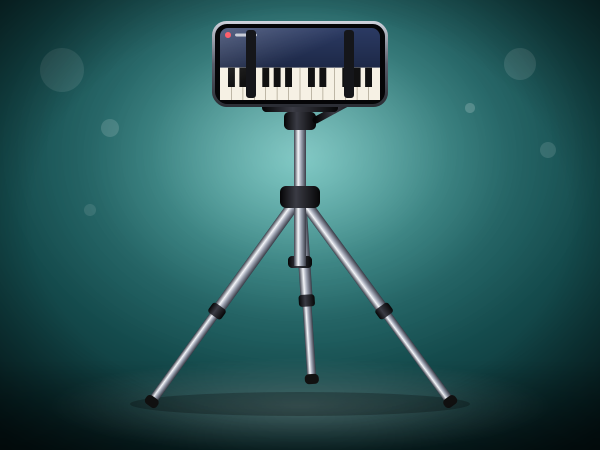
Floor stand for a tablet score. I recommend a steady phone setup because a simple recording of your hands is enough for me to give feedback.

I suggest it for a phone beside the keyboard for a first recording.

See it on Amazon
Illustration of a tablet holder — IK Multimedia iKlip 3 Tablet Holder
IK MultimediaTablet holder

iKlip 3 Tablet Holder

A tablet holder for a microphone stand that fits iPads and Android tablets. The IK Multimedia iKlip 3 Tablet Holder is one of my mid-range picks for this list.

I suggest it for an iPad as your sheet music, close to the keys.

See it on Amazon
Illustration of a tablet holder — K&M K&M 19790 Tilting Tablet Holder
K&MTablet holder

K&M 19790 Tilting Tablet Holder

A tilting tablet holder for a microphone stand. The K&M K&M 19790 Tilting Tablet Holder is one of my mid-range picks for this list.

I suggest it for a tablet at the right angle for reading.

See it on Amazon
Illustration of a page-turner pedal — AirTurn AirTurn BT500S-2 Page Turner Pedal
AirTurnPage-turner pedal

AirTurn BT500S-2 Page Turner Pedal

A two-pedal Bluetooth page turner. The AirTurn AirTurn BT500S-2 Page Turner Pedal is one of my mid-range picks for this list.

I suggest it for turning pages of a tablet score without lifting a hand.

See it on Amazon
Illustration of a page-turner pedal — PageFlip Firefly Bluetooth Page Turner Pedal
PageFlipPage-turner pedal

Firefly Bluetooth Page Turner Pedal

Hands-free tablet page turning. The PageFlip Firefly Bluetooth Page Turner Pedal is one of my mid-range picks for this list.

I suggest it for reading scores from a tablet with both hands on the keys; this one is the PageFlip Firefly Bluetooth Page Turner Pedal.

See it on Amazon
Illustration of a page-turner pedal — AirTurn DUO500 Silent Bluetooth Pedal
AirTurnPage-turner pedal

DUO500 Silent Bluetooth Pedal

Silent Bluetooth page-turner pedal. Turning a page with your foot keeps both hands on the keys when you read from a tablet.

I suggest it for reading scores from a tablet with both hands on the keys.

See it on Amazon

Premium picks

1 picks
Illustration of a page-turner pedal — PageFlip PageFlip Dragonfly Page Turner
PageFlipPage-turner pedal

PageFlip Dragonfly Page Turner

A four-pedal Bluetooth page turner for sheet-music apps. The PageFlip PageFlip Dragonfly Page Turner is one of my premium picks for this list.

I suggest it for a player who also wants extra commands for an app.

See it on Amazon

How do I set up a tablet at the piano?

Put the tablet where the music rest would be, tilted back so you read without lowering your head. Turn the screen's auto-lock off and keep the brightness comfortable. Pair a page-turner pedal over Bluetooth, and test the page turn on a piece you know before you need it in front of an audience.

Keep a paper copy for a recital

Batteries and Bluetooth connections fail at the worst time, so I suggest keeping a paper copy of any piece you will play for others.

What do readers ask about iPad music stands?

What do I need to read sheet music from an iPad?

A tablet holder or stand that keeps the screen at eye level, a music app that opens your scores, and optionally a Bluetooth page-turner pedal.

Do page-turner pedals work with every music app?

No. Many apps support Bluetooth pedals, but you should check your app's help page and the pedal's listing before buying.

Can I use a microphone stand for a tablet?

Yes. A tablet holder that clamps onto a microphone stand is a common solution, if the stand is heavy enough to hold the tablet without tipping.

Is a tablet better than paper music?

It is lighter and easier to carry, and your whole library is in one place. Paper is easier to mark by hand and does not run out of battery. Many players use both.

Shopping outside the US? Do these links work in the UK, Canada, Australia or Europe?

Yes. The links go to Amazon.com and open your local Amazon store when the model is sold there: the UK, Canada, Australia, Germany, France, Italy, Spain, the Netherlands, Poland, Sweden and Singapore. Models, voltages and plugs differ by country, so on your local listing check for the 230-volt or UK-plug version of a digital piano or a suitable mains adapter, and check that the sustain pedal, bench (keyboard stool) or keyboard stand you want is sold in your country. If a model is not sold locally, the page will say so.

Where should you read next?

What else might you need?

Would you rather learn than buy more gear?

The shop exists to support your learning. The learning itself can start free: all 41 lessons of my beginner course are published, and I give feedback on your playing at no charge. When you want a teacher, I take private students online. I am also preparing a method book series for adults who learn alone.

Questions? Want feedback on your playing?

Send a message or attach a recording. Email, phone and how you found us help me answer you properly.

Free guide

Get my free Adult Beginner’s Piano Starter Guide

The first steps to start the right way — no bad habits to un-learn. Join fellow beginners learning with a real university teacher.

✓ Thank you — check your inbox!

No spam — just piano. Unsubscribe anytime.

Piano lessons by age

Every decade brings its own music and its own obstacles. Find the plan for yours:

Learn piano in your 20s · Learn piano in your 30s · Learn piano in your 40s · Learn piano in your 50s · Learn piano in your 60s · Learn piano in your 70s and beyond

Write to Dr. Maria Pisarenko, or send your playing

Online Piano University is run by one teacher. I read every message and listen to every recording myself.

Contact

maria@onlinepianouniversity.com

Full contact page
Feedback on your playing
Free 41-lesson course
Piano lessons by age

Free Starter Guide

✓ Thank you — check your inbox!

Follow along

YouTube · Instagram · Facebook · TikTok · Pinterest